Record and play a loop
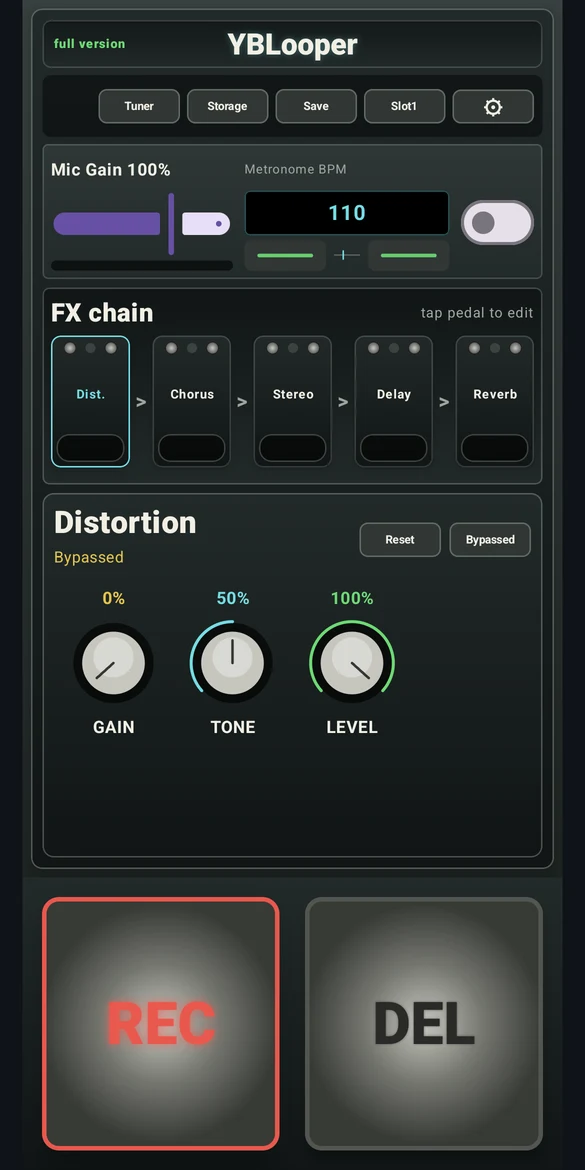
Give the app microphone access when Android asks, so it can record and use the tuner. The top of the main screen contains navigation, input gain and metronome controls. The large footswitches are at the bottom.
- Tap the main REC footswitch to begin recording. If count-in is enabled, recording begins after the count-in.
- Tap the same main footswitch again to finish the take and start loop playback.
- Tap it during playback to stop. Tap it again to play from the start.
- Use Save to keep a recording in the selected slot.
DEL clears the current loop. Depending on the selected slot, clearing can also remove a saved loop. Share or back up important takes before using delete or replacing a slot.
Explore the effects
Tap a pedal in the FX chain to select it. The panel below shows that effect’s controls. Adjust the knobs, use the enable/bypass control to compare, or select Reset to return the effect to its defaults.
The effects include distortion, chorus, stereo widening, ping pong delay and reverb. Begin with small adjustments and listen at a comfortable level.
Tune your guitar
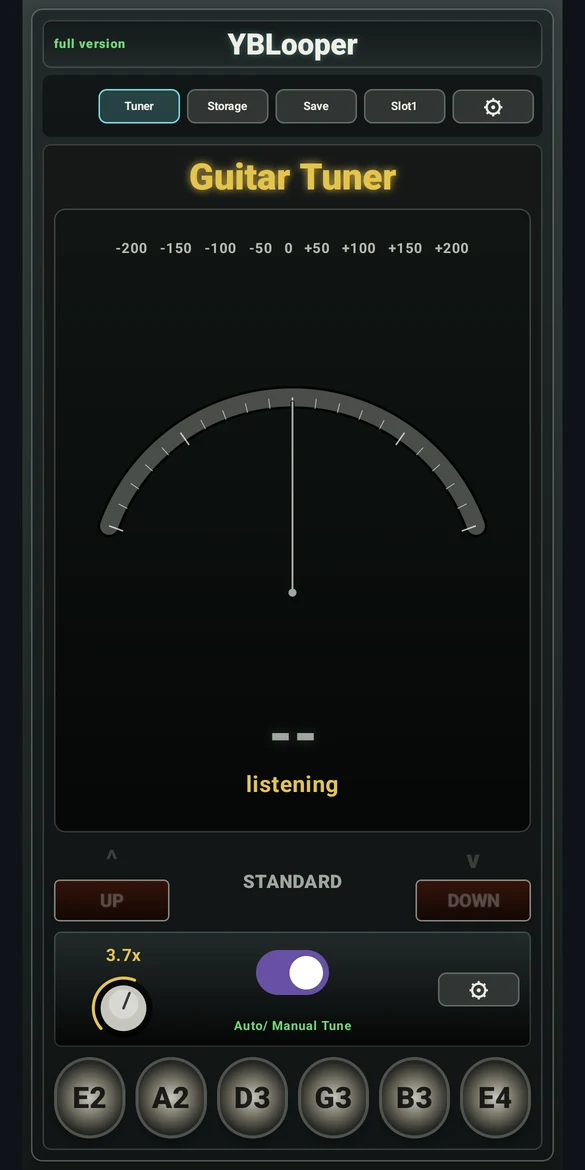
Open Tuner. In automatic mode, the app detects a guitar string. In manual mode, select the string you want to tune. Play one string at a time in a quiet space and watch the meter.
Tuning presets include Standard, Drop D, Eb, Open G and DADGAD. Select the preset that matches your instrument’s intended tuning.
Tempo, count-in and settings
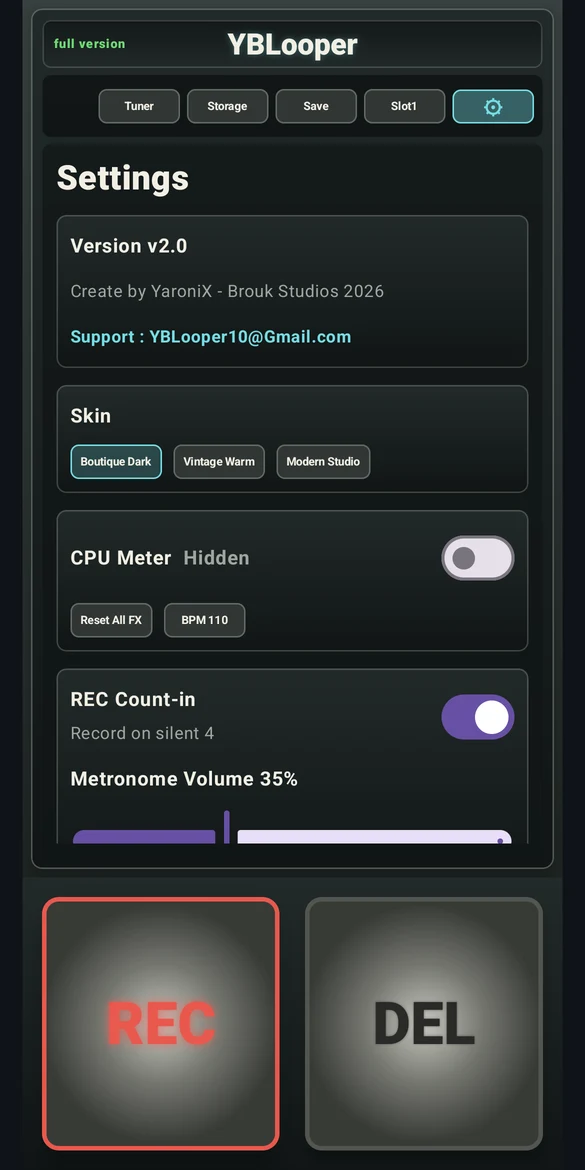
Set the metronome BPM on the main screen. Open Settings with the gear button for recording count-in, metronome volume, appearance choices and loop timing adjustments.
Loop start and end adjustments help you refine the transition between repetitions. Listen to the join after each adjustment and save the take you want to keep.
Save, load and share
Select a loop slot and choose Save to store the current recording. Storage lists saved loops and their file information.
- Load brings a saved recording into the main screen.
- Share opens Android’s sharing options for the saved file.
- Trash deletes the file in that slot.
Saved recordings use uncompressed 16-bit PCM WAV. For transfer and editing tips, read the WAV guide.
App modes and purchases
YBLooper contains ads and offers an optional Full Version unlock through Google Play. The controls available to you depend on the active mode. The app displays the current purchase options and regional price.
Need help?
Email [email protected] with your device model, Android version, app version and a description of what happened. Do not send payment details or passwords.